Release · October 28, 2026
BorgDock 4.8.0
Nine new features and one fix in this release.
New
Notes, right inside BorgDock
The new Notes section keeps your notes next to your pull requests and work items. Write in a live preview that shows formatting as you type, link notes with [[Title]], and see every note that links back. Notes are plain Markdown files in a folder, so Obsidian and VS Code open the same files, and with a sync folder set your other machine sees them too. Ctrl+O opens a note by title and Ctrl+Shift+F searches all of them.
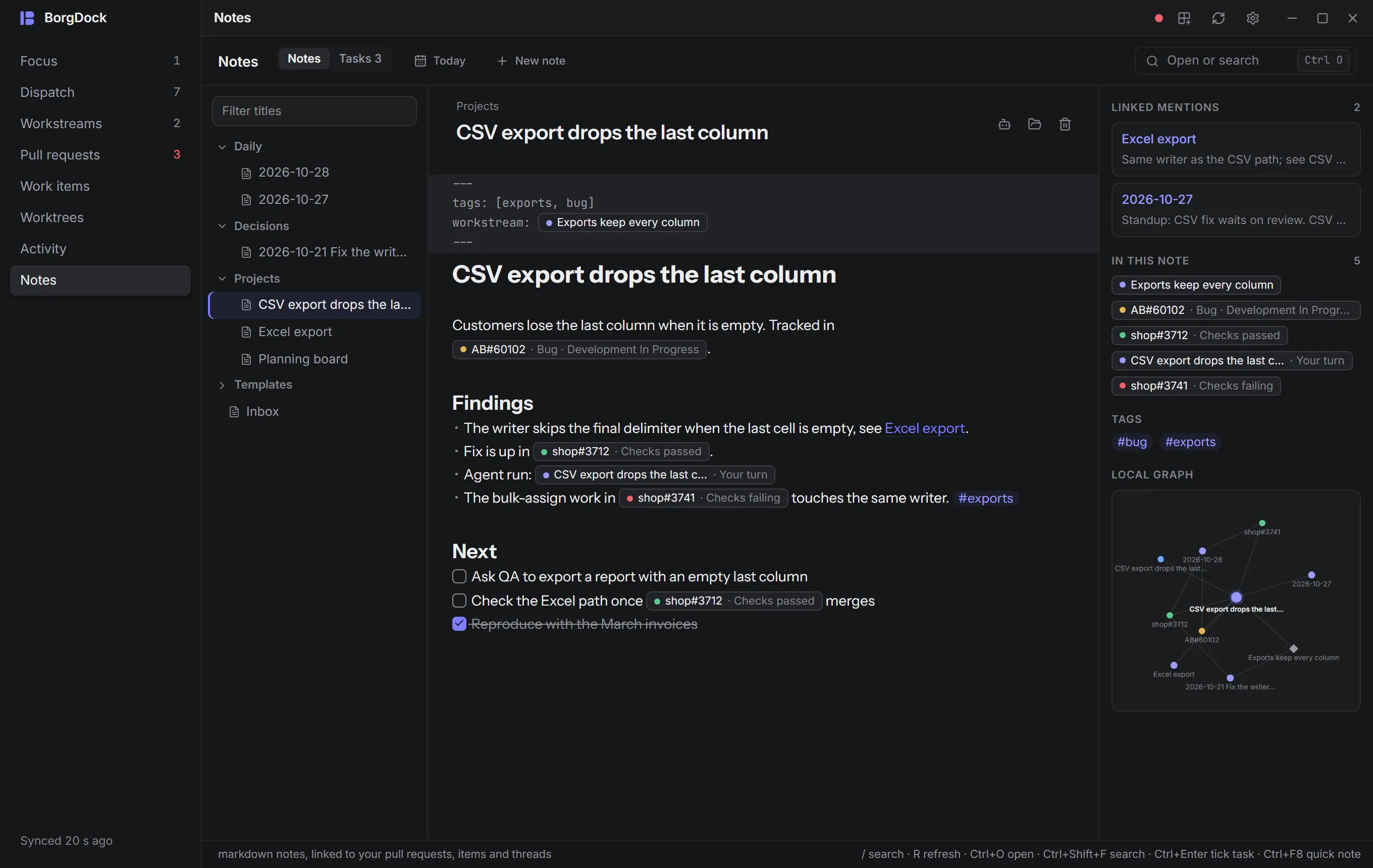
New
Notes that know your work
Type AB#60102 or shop#3712 in a note and it becomes a chip that shows what the work item or pull request says right now: its state, its checks, whether it's approved. T3 threads and workstreams show up the same way. Pull requests, work items and workstreams get a Notes tab with every note that mentions them, and a button to start a new one.
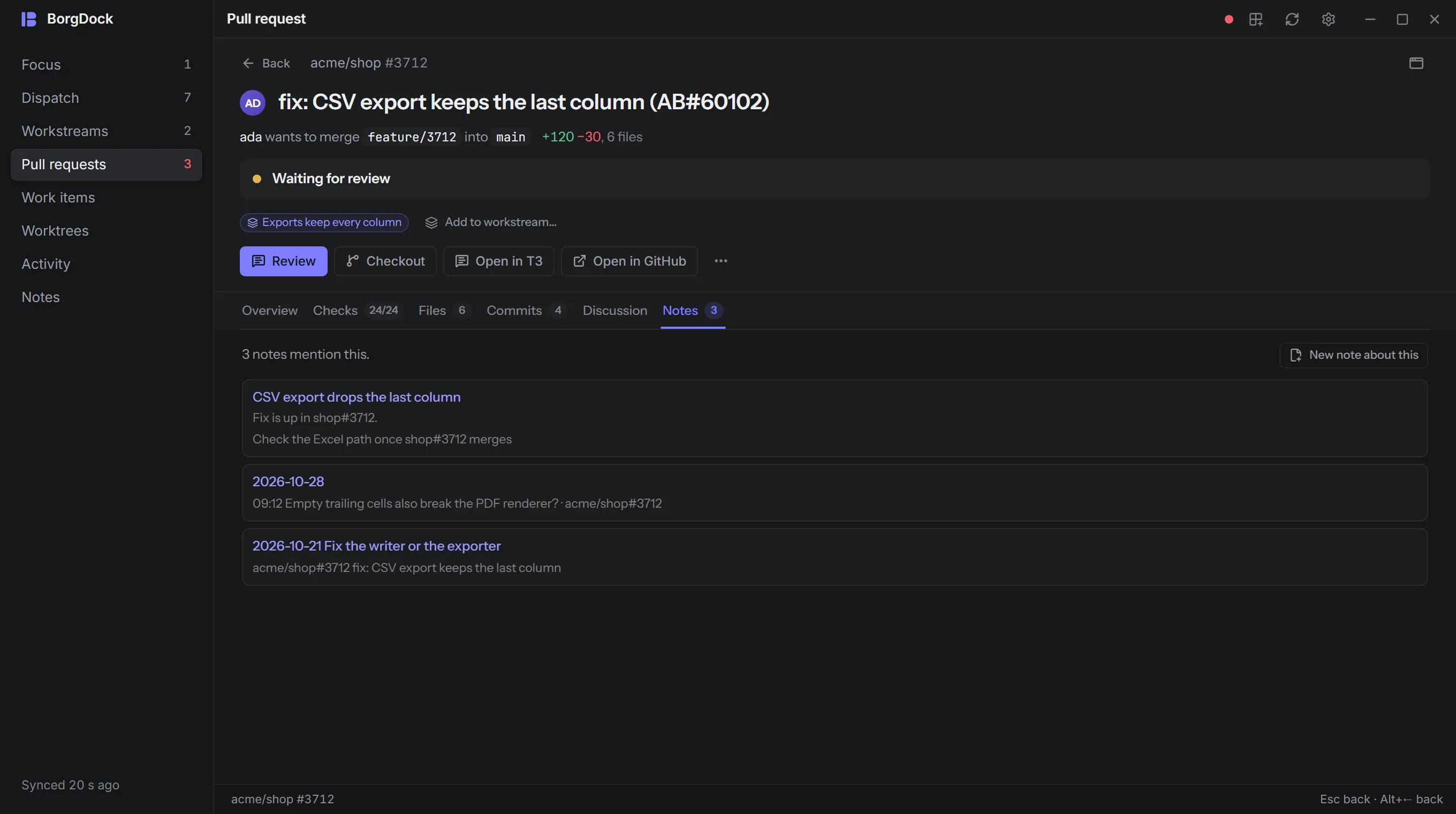
New
A daily note that writes itself
Press Today and BorgDock starts the day's note with what happened since yesterday: merges, items that moved, threads that finished, checks that failed. You add the why.
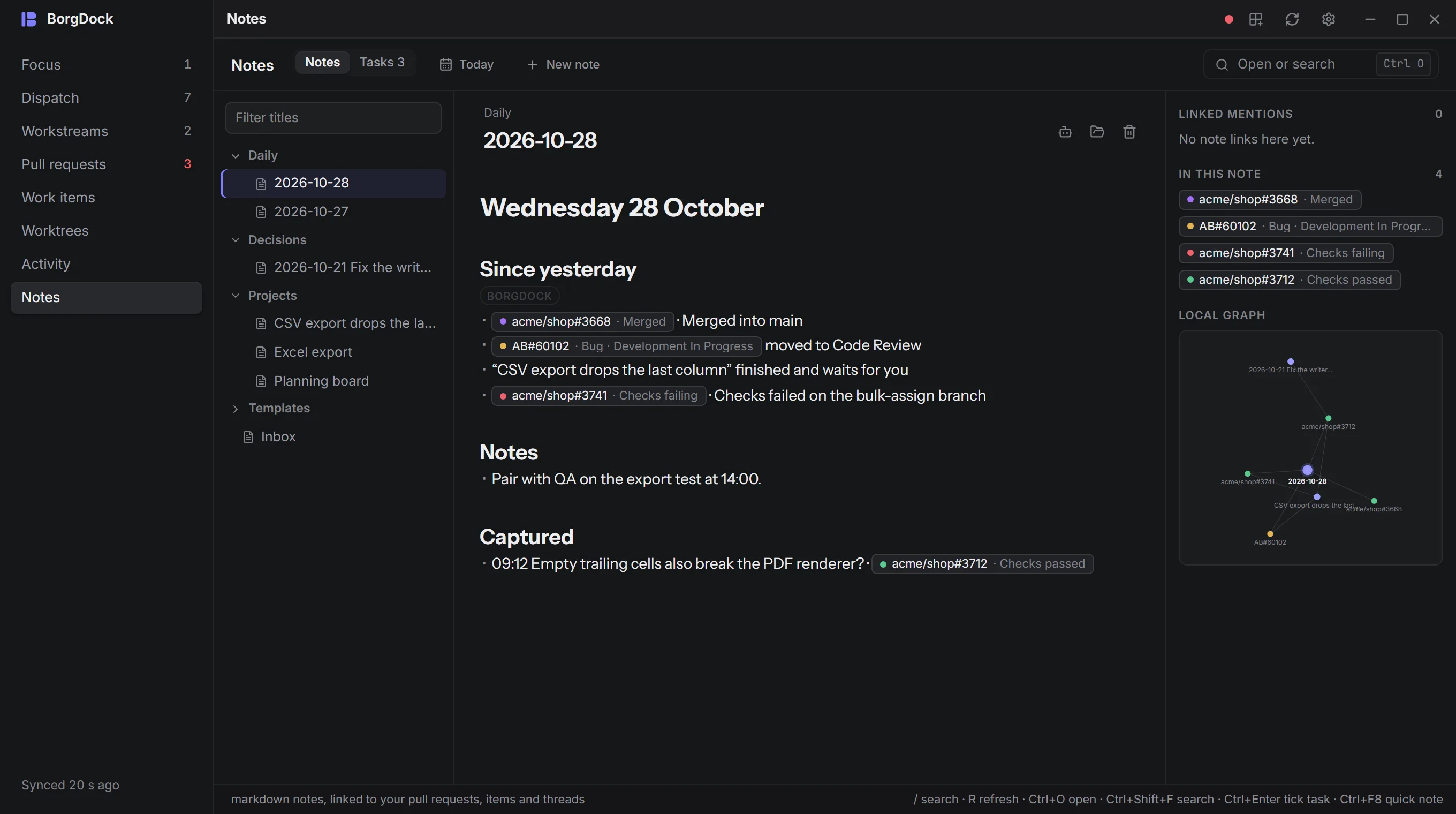
New
Jot it down from anywhere
Press Ctrl+F8 in any app for a quick note. It lands in today's note and links the pull request or work item you last had open. Ctrl+F8 used to open the Files window, which is gone.
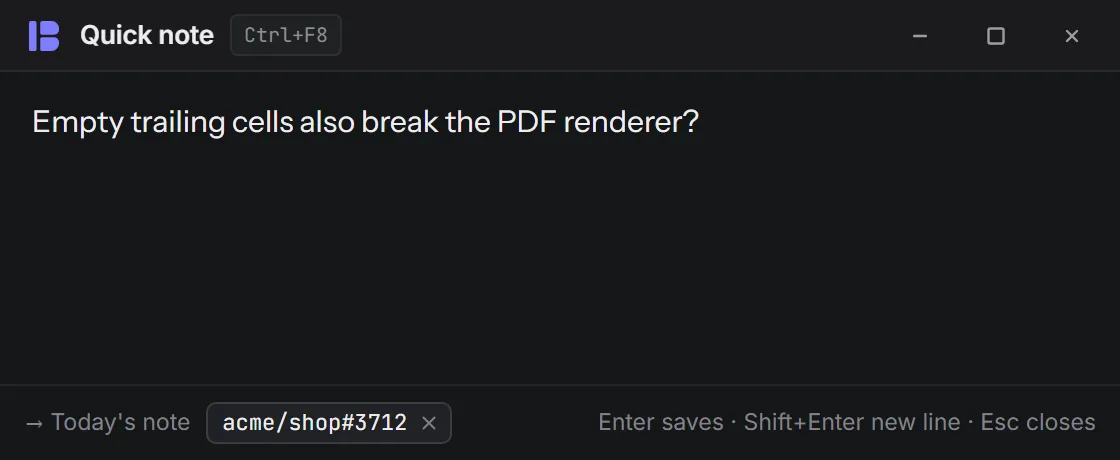
New
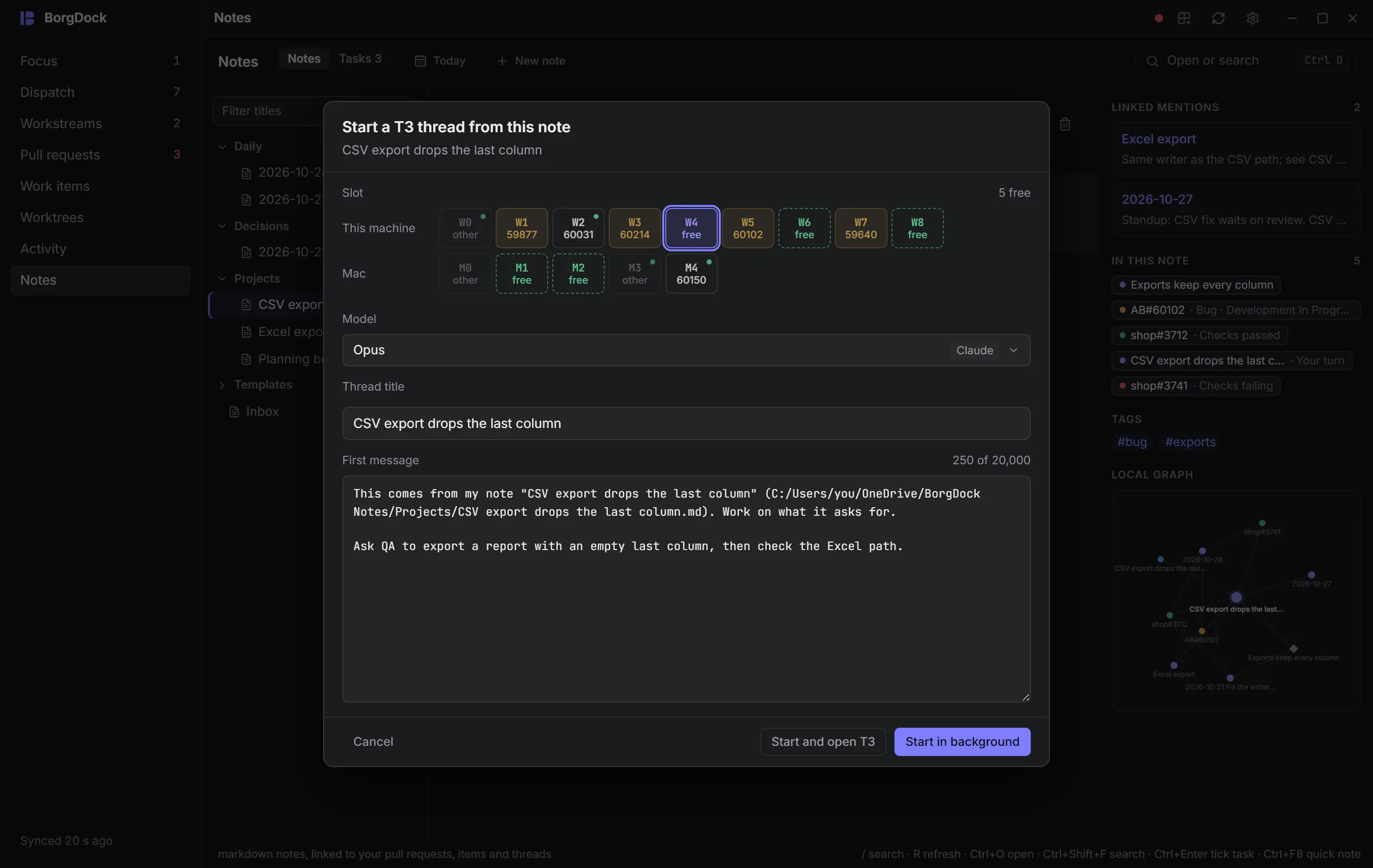
Hand a note to an agent
Start a T3 thread from a note, and when the agent stops, its answer is added to the note. Fix with Claude and Resolve conflicts bring along your notes about that pull request, and every agent BorgDock starts knows where your notes live. Decisions you make in a workstream are written up as notes too.
New
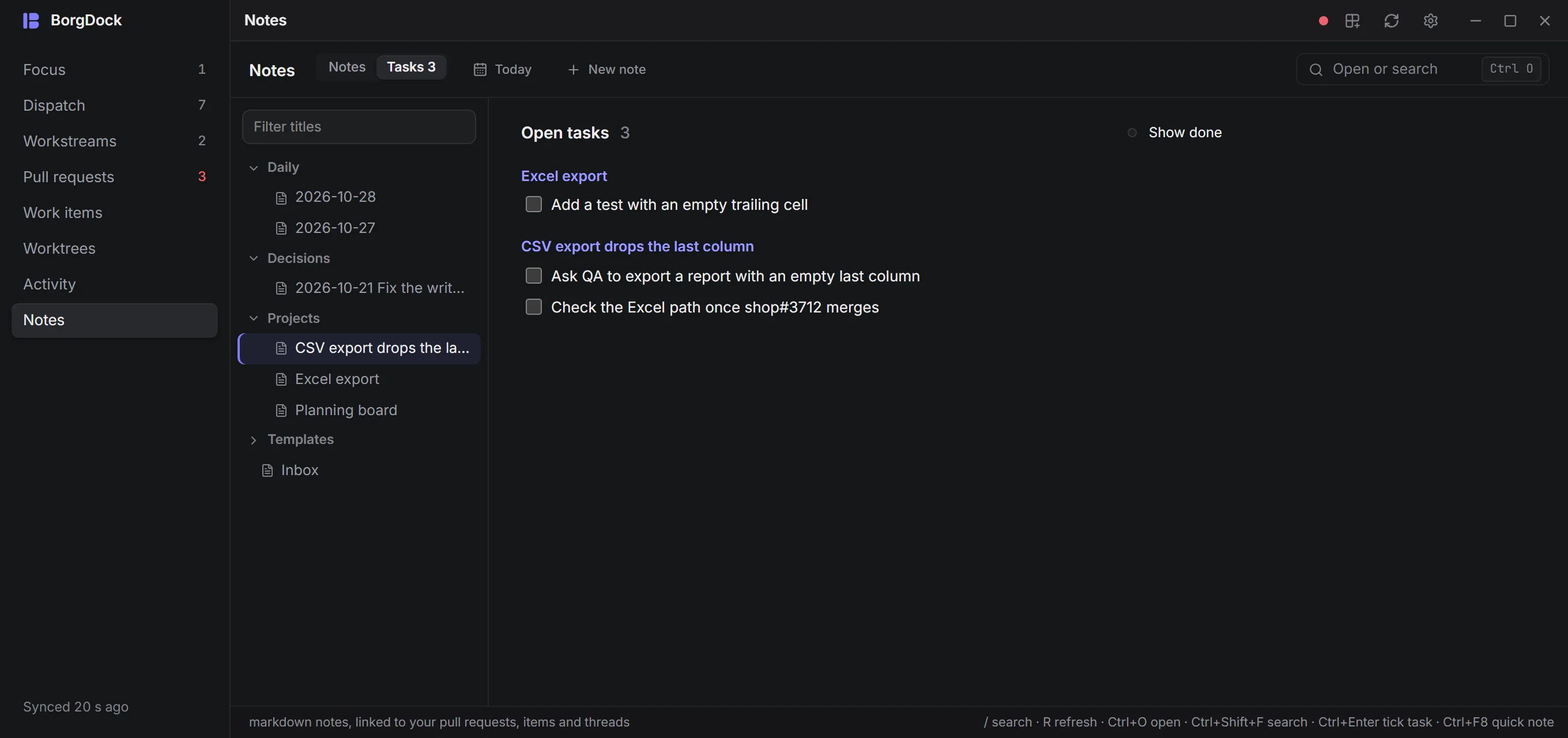
Every open task in one list
Every - [ ] task from every note shows up in one list where you can tick it off, and Focus tells you how many are still open.
New
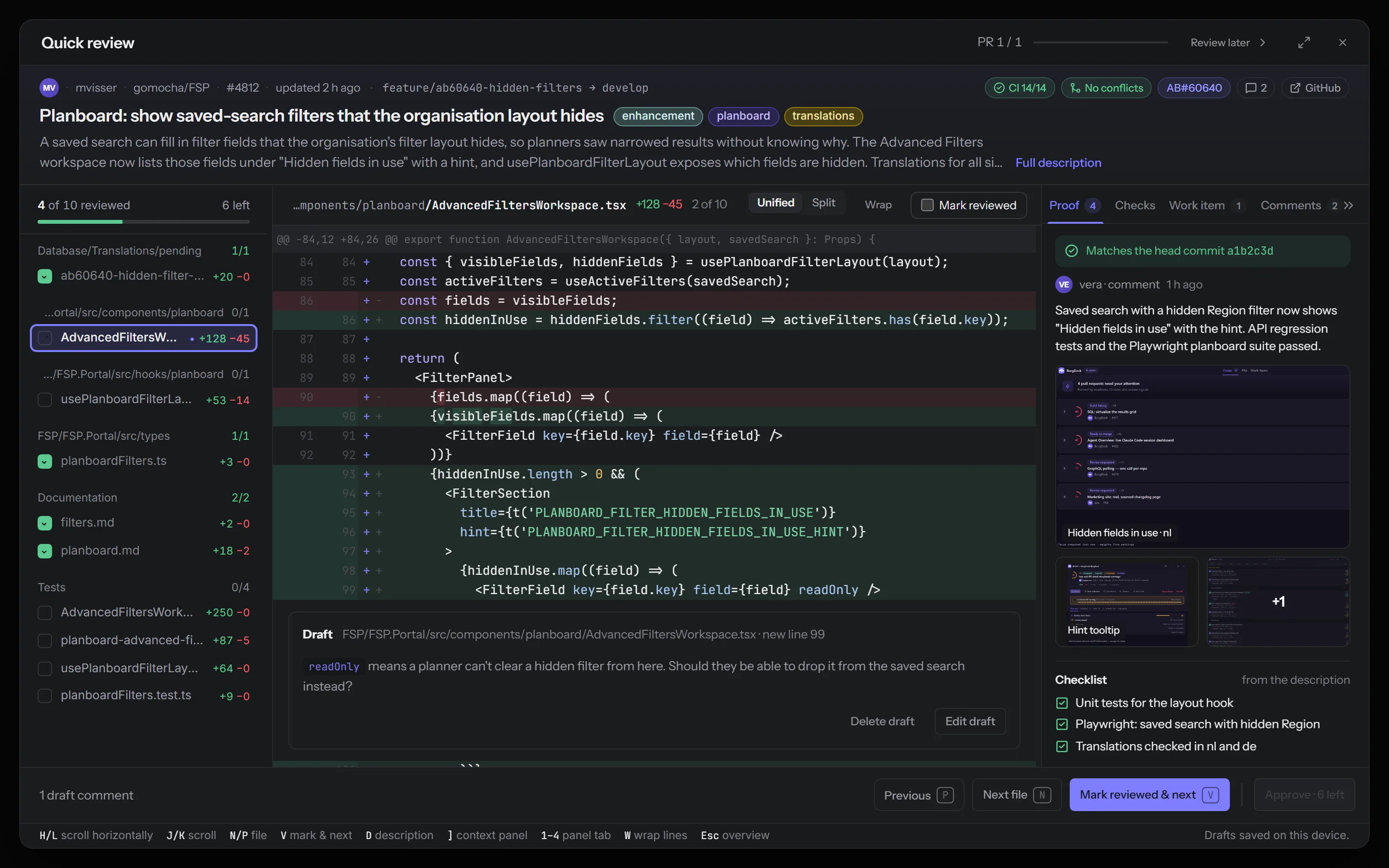
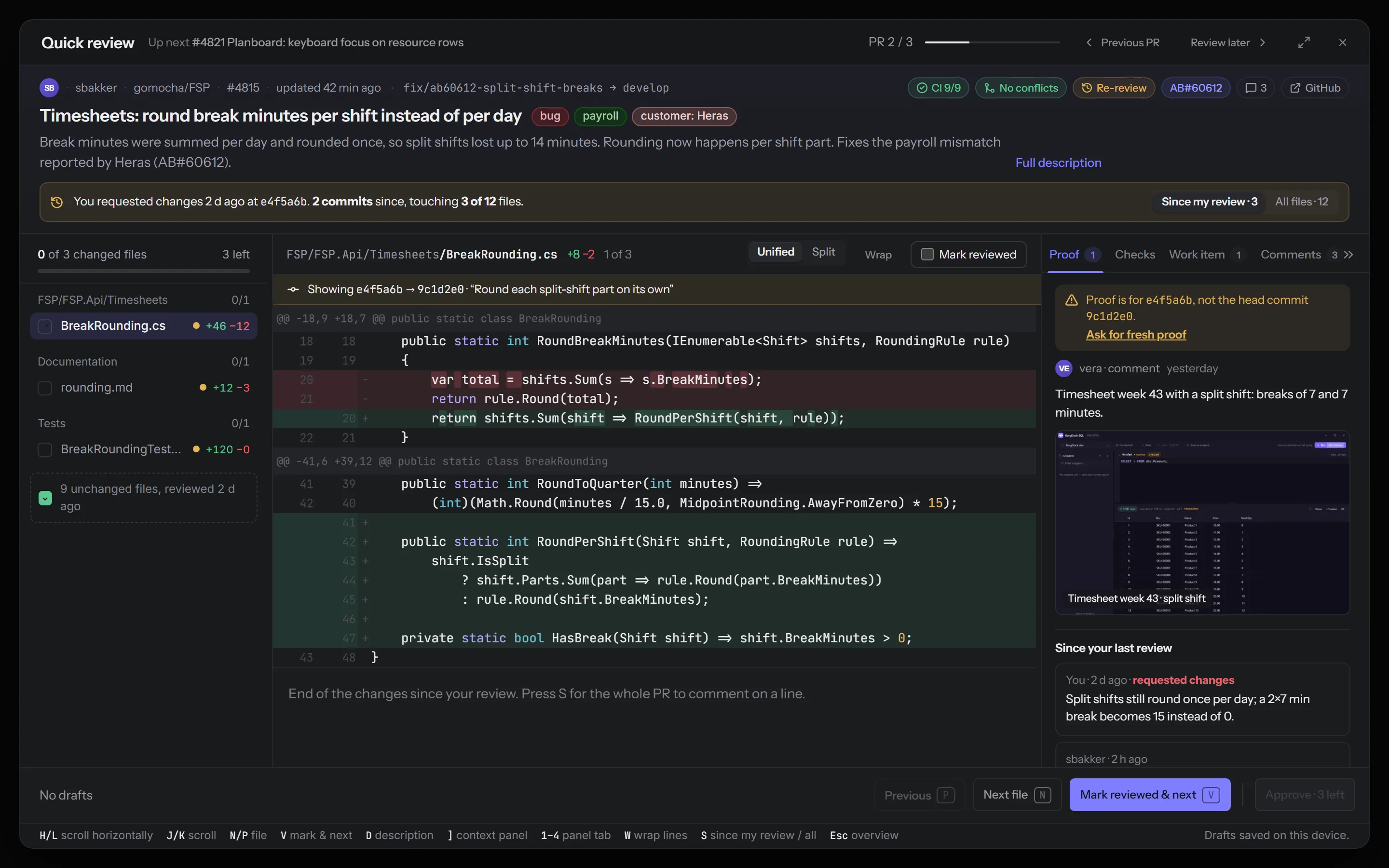
Review with the pull request in view
Quick Review keeps the pull request above the files while you walk them: its description, its labels in their GitHub colours, CI and the linked work item. Its proof, checks, work item and comments sit in a panel beside the diff.
New
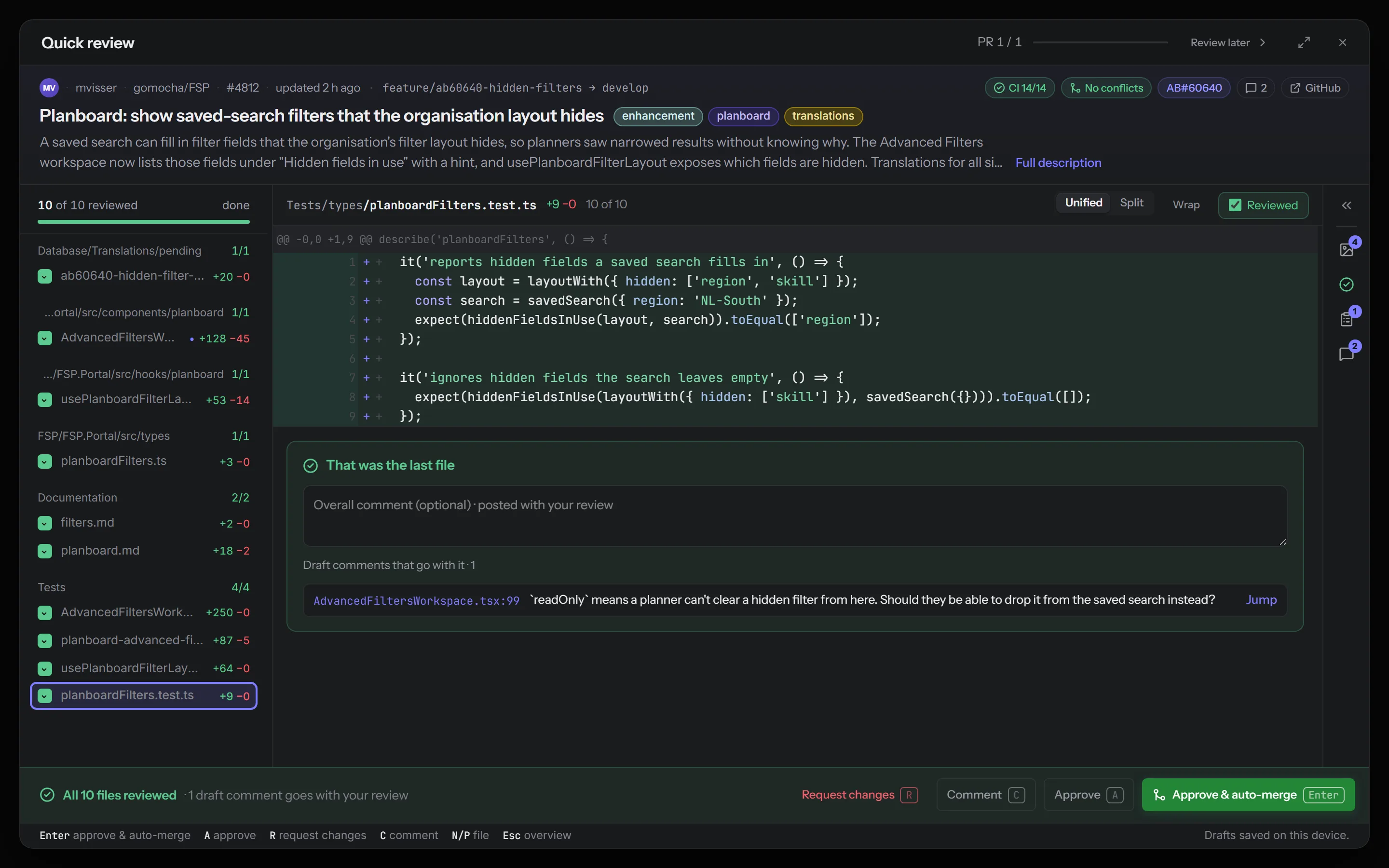
Decide the moment you're done
Marking the last file reviewed turns the footer into your decision: request changes, comment, approve, or approve and auto-merge. You move straight on to the next pull request, with five seconds to undo.
New
Re-review only what changed
Back at a pull request you reviewed before, Quick Review shows only the files that changed since your last review. Press S to see them all.
Also in this release
- BorgDock no longer freezes for a few seconds every minute or so. Clicks, alt-tab and the next file in a review respond right away again, and the first start of this version shrinks the cache BorgDock keeps on disk. If BorgDock ever does hang, its log now records where, and what you last clicked.
Keep it one hotkey away.
Version 4.9.4, released October 29, 2026. Install it once and it keeps itself up to date.